
Is Instagram DM Automation Safe? Everything You Need to Know About Ban Risk
Summary
Most safety guides repeat the same advice and lean on ban statistics that come from tool vendors. This guide gives you the clear answer first, then goes deeper. You will learn what Meta actually allows, which behaviors get accounts restricted, why the popular “200 DMs per hour” number causes so much confusion, and how to tell trustworthy statistics from marketing claims. It also covers the part almost nobody explains, which is what to do if a compliant account gets flagged anyway.
Key Takeaways
Instagram DM automation is safe when the tool uses Meta’s official connection and only replies to people who contacted you first
Browser bots, password sharing, and messaging strangers cause most account restrictions
Meta’s own rate limit page does not present one simple “200 DMs per hour” rule, so treat that number with caution
Many ban statistics online come from vendors who sell automation tools, so always ask who published a number and how they measured it
Following the rules lowers your risk a lot, but it does not remove it, so keep a backup list of your leads outside Instagram
If your account gets flagged, pause your automation right away, read the notice, review your recent activity, and use the appeal option Instagram provides
Meta recommends telling people when they are chatting with automation, which builds trust and takes only a few seconds to add
Introduction
A business owner switches on an automation tool on Monday. By Friday, Instagram has restricted the account. The owner blames the tool right away, but never checked how that tool connects to Instagram in the first place.
That one missing check causes most of the panic around this topic.
Here is the clear answer. Instagram direct message automation is safe when the tool works through Metas connection and only responds, to people who reached out to you first. Accounts get limited when tools use browser bots request your password or send messages to people who have never interacted with you.
No tool can promise zero risk, and anyone who does is selling you something. This guide shows you exactly where the real risk comes from, which claims online you should question, and what to do if a compliant account gets flagged anyway.
The Short Answer, Explained Simply
Meta does not ban automation. It bans the wrong kind of automation.
Think of it like driving. Cars are legal. Driving through a red light is not. Automation is legal on Instagram. Doing it through the back door is not.
Here is the quick version you can screenshot.
Usually safe:
Replies to comments, story replies, and DMs that a person started
Tools that connect through Meta’s official login
Messages sent while the conversation window is open
A pace a real person could plausibly keep up with
Usually risky:
Tools that ask for your Instagram password
Browser bots and Chrome extensions that copy human clicks
Messages to people who never interacted with you
Repeated promotional messages to the same person
If your current tool lands on the risky side of that list, you have your answer before reading another word.
What Meta Actually Allows
Meta’s own rules give businesses a clear boundary. When someone messages your account or interacts with it, a conversation window opens. According to Meta’s Messenger Platform and Instagram Messaging API policy, businesses have up to 24 hours to respond, and messages sent inside that window can include promotional content.
That window is the heart of safe automation. The person reached out, you answer, and the conversation stays within the space Meta created for it.
The connection method matters just as much. Legitimate tools use Meta’s official Instagram messaging API, where you approve access through a normal Meta login screen. You never type your Instagram password into a third party site.
Real time notifications also play a role. Meta’s overview explains that setting up webhooks helps apps receive message notifications without constantly polling the platform, which reduces the chance of hitting rate limits. If you want to see how that works in practice, our guide on how AI DM automation actually works walks through the whole sequence step by step.
What Gets Accounts Restricted or Banned
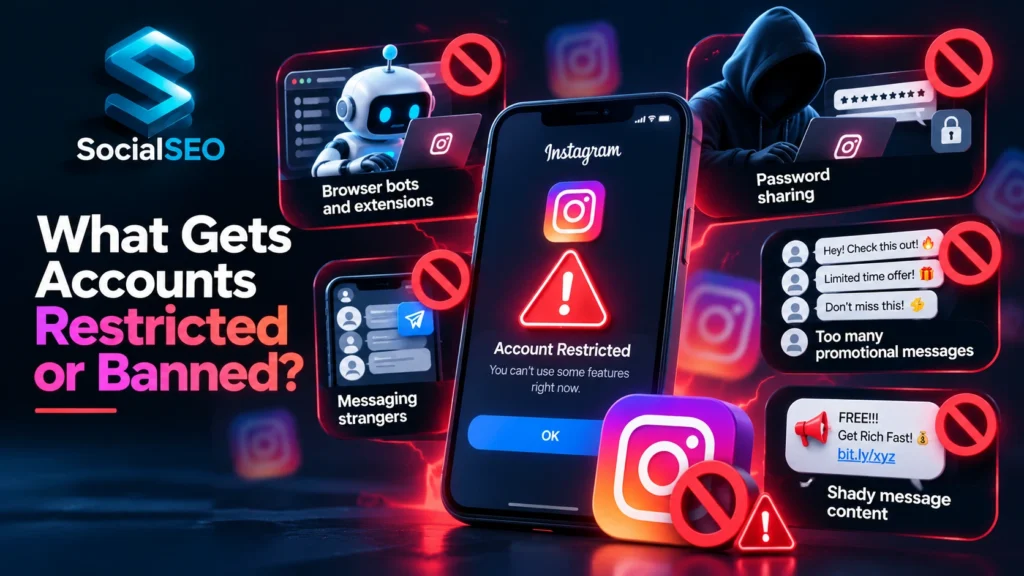
Most restrictions trace back to a short list of behaviors.
Browser bots and extensions come first. These tools pretend to be you clicking around Instagram, which is exactly what Instagram’s systems are built to detect.
Password sharing comes next. Any tool that asks for your login gets full access to your account, and it usually operates outside Meta’s approved channels. If a tool asks for your password, close the tab.
Messaging strangers is the third big one. Automation that sends first contact messages to people who never engaged looks like spam to both Instagram and the person receiving it.
Sending too many promotional messages to the same person also raises flags. One helpful reply is a conversation. Five pushy follow ups is a pattern, and patterns are what detection systems look for.
Finally, shady message content matters. All caps urgency, misleading claims, and stacks of shortened links make automated messages look like spam even when the tool itself is compliant.
The 200 DMs Per Hour Confusion, Cleared Up
Search this topic and you will see the same number everywhere: 200 DMs per hour. Some blogs call it Meta’s official rule. Others say it is only a pacing habit that tools follow on their own. At least one vendor publicly admitted that a popular claim about Meta slashing limits from 5,000 to 200 could not be found in any Meta documentation.
So who is right? Here is what Meta’s own rate limit documentation actually says. Limits depend on which API a tool uses, and in some cases on the message content. They are counted per Instagram professional account and per API. Meta does not present one simple “200 DMs an hour” rule on that page.
Where does the 200 number come from? I have seen developer guides that mention a limit of about 200 API calls per hour. The 200 number is a measure of how software talks to Instagram, not a measure of how many messages people receive. Mixing those two ideas up may explain a lot of the confusion online though nobody, outside Meta can say for certain.
What should you do with all this? Stop chasing a magic number. Choose a tool that handles pacing for you, ask the vendor how it manages limits, and keep your volume at a level that feels human. Speed helps nobody if it costs you the account.
Which Safety Statistics You Can Trust and Which You Can’t
Here is something most safety guides will never tell you. A large share of the ban statistics online come from companies that sell automation tools.
You will see claims like “official tools are dozens of times safer” or “only a tiny percentage of compliant accounts ever get suspended.” Those numbers usually come from a vendor’s own data, with no independent study behind them and no method shown.
That does not mean vendors are lying. It means they have a reason to make their product look safe, so you should treat their numbers as marketing until proven otherwise.
Use a simple habit. When you see a statistic, ask three questions. Who published it? How did they measure it? Do they sell something related to it? Numbers that come straight from Meta’s documentation carry real weight. Numbers from a tool’s blog deserve a raised eyebrow.
The Recent Ban Waves and What They Mean for You
Over the past year or so, many creators and small businesses have reported sudden account restrictions, and some of them say they did nothing wrong. Stories like these spread fast, which makes the whole topic feel scarier than it usually is.
Here is a calmer way to look at it. Instagram runs automated systems that look for spam, fake activity, and policy violations across a huge number of accounts. Those systems catch plenty of real problems. They also make mistakes, and compliant accounts sometimes get caught in the net.
This is why “follow the rules” is necessary but not a guarantee. It lowers your risk a lot. It does not erase it. Good planning assumes a flag could happen and prepares for it.
What To Do If Your Compliant Account Gets Flagged Anyway
Almost no guide covers this, and it matters more than any other section here.
Restrictions usually escalate in steps. An account might first see a warning or a limit on certain actions, then a temporary restriction, and in serious cases a disabled account. The earlier you react, the more options you have.
If you see a warning or restriction, take these steps in order.
Pause your automation immediately. Do not keep sending while you investigate.
Check your account status inside Instagram and read exactly what the notice says.
Review your recent activity for anything that looks spammy, like repeated messages or a sudden spike in volume.
Use the review or appeal option that Instagram provides in the notice. Keep your explanation short, factual, and polite.
Appeals take time, and results are never guaranteed, so plan for the possibility of waiting.
The most important protection happens before any problem. Never let Instagram be the only place where your leads live. Move contacts into your own list, a CRM, or a WhatsApp broadcast list as early as you can. If your account ever goes down, your business should not go down with it.
Message Content Rules Most Guides Skip
Most safety advice focuses on the technical side and forgets about the message itself. That is a mistake, because a perfectly compliant tool can still send messages that look like spam.
Write messages a real person would be happy to receive. Answer what they asked. Keep the tone friendly. Skip the all caps shouting and the fake urgency.
Limit follow ups. One helpful nudge is fine. A chain of promotional messages is not. Our guide on what DM AI automation actually is explains why keeping follow ups to one or two protects both your account and your reputation.
Be careful with links. Piles of shortened links look suspicious to filters and to people. Use a clean, recognizable link when you can.
Tell people they are talking to automation. Meta’s own policy recommends letting users know when they are chatting with an automated experience, and says this helps manage expectations even where the law does not require it. A simple line like “You’re chatting with our automated assistant” builds trust and takes five seconds to add.
Never hide a bot behind tools meant for humans. Meta offers a separate way for real human agents to follow up on support issues. Use it for real people only, and never as a disguise for automated replies.
A tool that actually understands questions also helps here. A system that reads the meaning behind a message sends fewer irrelevant replies, and irrelevant replies are what make people hit the report button. Our breakdown of rule based chatbots versus AI DM automation explains why.
A Two Minute Safety Check for Your Current Tool
Open your tool’s homepage and run through this list.
Does it connect through Meta’s official login, or does it ask for your Instagram password?
Does it only reply to people who engaged with your account first?
Can you control how fast messages go out?
Does the vendor explain clearly how it handles Meta’s rules, or does it avoid the subject?
Does it pass tricky conversations to a real person instead of guessing?
Does it let you export or connect your leads so you are not locked into Instagram?
If the answer to any of these is “no” or “I can’t tell,” that is your cue to ask questions before you keep using the tool.
Staying Safe as an Indian Creator or Business
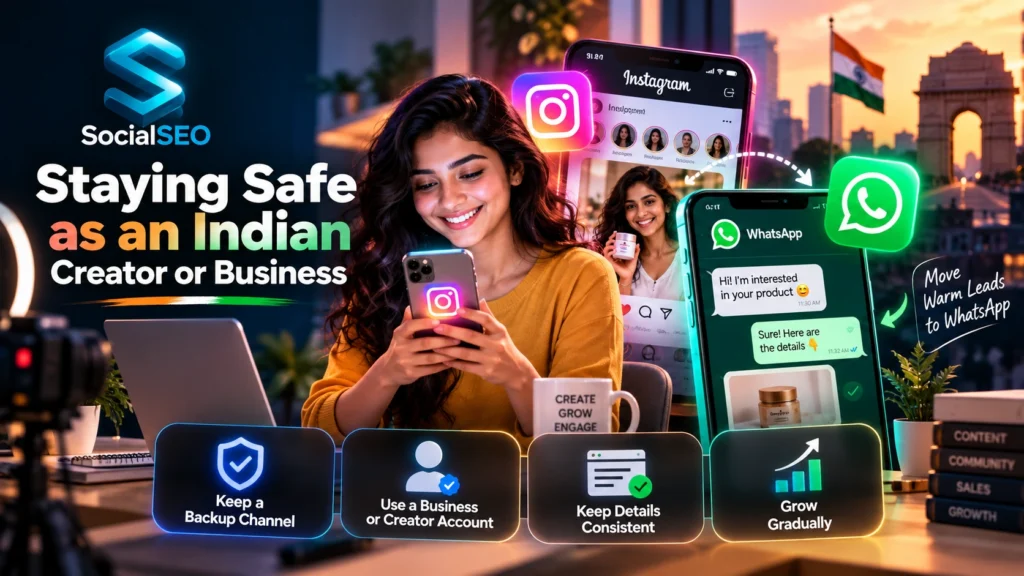
Instagram sits at the center of growth for a huge number of Indian creators, D2C brands, and coaches. That makes account safety a business survival issue, not a technical detail.
Build a backup channel early. Many Indian businesses already run customer conversations on WhatsApp, and moving warm leads there gives you a second home for your audience. Our comparison of Instagram DM automation versus WhatsApp AI automation explains how the two work together and why most growing businesses eventually use both.
Also keep your business details consistent, use a proper business or creator account, and avoid sudden jumps in activity right after switching on a new tool. Gradual growth looks natural. Overnight spikes look suspicious.
A Founder’s Perspective
Where does the 200 number come from? I have seen developer guides that mention a limit of about 200 API calls per hour. The 200 number is a measure of how software talks to Instagram, not a measure of how many messages people receive. Mixing those two ideas up may explain a lot of the confusion online though nobody, outside Meta can say for certain.
How Setter Handles Safety
Setter connects to Instagram through Meta’s official messaging connection. You approve access through a normal login screen, and Setter never asks for your password. It replies to people who commented or messaged first, and it hands the conversation to a real person when it is not confident about an answer.
We do not promise zero risk, because no honest provider can. We do focus on the choices that lower it: official access, replies only to people who reached out, sensible pacing, and clear handoffs to humans. You can see the full picture on our DM AI automation page, or look at the tool itself at app.socialseo.in.
Frequently Asked Questions
Can Instagram ban you for using DM automation?
Yes, but mostly when the tool breaks the rules. Browser bots, password sharing, and messaging strangers cause most problems. Tools that use Meta’s official connection and only reply to people who engaged first carry much lower risk.
Is ManyChat safe for Instagram?
ManyChat is a well known tool that connects through Meta’s official channels. Any tool built that way follows Meta’s rules, but you still control how you use it. Pacing, message content, and who you message all affect your risk.
How many automated DMs can I send per hour?
Meta does not publish one simple number on its rate limit page. Limits depend on the API a tool uses and can vary by message content. The safest approach is to pick a tool that manages pacing for you and keep your volume human.
What happens if Instagram flags my automation?
You may see a warning, a temporary limit, or a restriction. Pause your automation, read the notice carefully, review your recent activity, and use the appeal option in the notice.
Is it safe to give an automation tool my Instagram password?
No. A legitimate tool uses Meta’s official login and never asks for your password. Sharing your password gives a third party full access and usually means the tool runs outside Meta’s approved system.
Can I appeal an Instagram ban after using automation?
You can request a review through the option Instagram provides in your account notice. Results are never guaranteed, so keep a backup list of your leads outside Instagram.
Where to Go From Here
Safety is only one piece of the puzzle. If you want the full foundation, start with our guide on what DM AI automation actually is, then see how the whole process runs in how AI DM automation works. When you are ready to see a safe setup in action, take a look at Setter, our AI response agent for Instagram.
Written by Suresh Malani
Suresh is the founder of SocialSEO, an AI native content and growth studio based in Noida, India. He works directly with founders and brands on personal branding, fan page marketing, and DM automation systems like Setter, and writes about what actually works based on that hands on experience.
Connect on LinkedIn: linkedin.com/in/sureshmalani
