How an AI Agent Can Reply to Instagram DMs, Qualify Leads, and Book Calls While You Sleep (And What It Can’t Do)
Summary
Imagine at late night you got a DM from an very interested lead who are looking for the services that you are provided gone through your page and DM you but because of late night you are not able to reply them and they gone to another provided similarly also connect with them through DM and got reply from them as they are using AI Agent to reply the leads instantly and gained that client and you loose it, Now you can also use that AI agent in your talking tone and take the necessary information related to your service and book a meeting with that client for next day further process and closes the lead while you are sleeping, and also are able to pass that to human agent when its necessary isn’t it good and also under the Meta’s Rules for automation. So in this guide we have exactly talk about this that how to build one with a ready system prompt, what Meta Business Agent costs, what can go wrong, and how to test it for 14 days.
Key takeaways
- An AI agent follows the whole conversation, while a basic Instagram chatbot only matches keywords. Natural language understanding and intent analysis make that difference.
- Your agent replies. It never messages first, and it can reply automatically for only 24 hours after someone writes to you.
- After 24 hours, only a real person can reply, for up to 7 days, using Meta’s Human Agent tag. Bots cannot use it.
- Good lead qualification takes two to four open ended questions. Score each lead as hot, warm, or cold, then offer a booking link for discovery calls and demo bookings.
- Lock the exact wording for prices and policies, let the generative AI write everything else, and feed it a clear business knowledge base and system prompt.
- Set human handoff rules before launch. Never automate refunds, complaints, or sensitive topics, because you own everything your agent says.
- Compare Meta Business Agent, Instagram chatbot platforms, and DIY builds by cost per conversation, not by entry price. Meta began charging on August 1, 2026, so check how billing applies to your Instagram account.
- Run a 14 day test, read every transcript, and trust only the numbers from your own account.
Introduction
Quick answer: An AI agent for Instagram DMs reads every new message, works out what the person wants, replies in your voice, asks a few questions to qualify the lead, and shares your booking link. It replies only to people who message you first, and only inside Meta’s 24 hour window. Your team handles everything else.
You post a Reel at 9 PM. Someone replies to your story at midnight and asks about pricing. You see it at 10 AM, and by then they have talked to two other brands.
That gap is where an Instagram AI agent helps. But most guides don’t show the real side of it. They promise it will close sales while you sleep, skip the rules Meta sets, and never tell you what goes wrong. But in this guide we covers both sides, so you can decide with real information.
What you will learn:
- What an AI agent does in your Instagram inbox, and how it differs from a basic chatbot
- The Meta rules that decide what your agent can and cannot do overnight
- A copy and paste system prompt you can adapt today
- What Meta Business Agent, third party tools, and DIY builds really cost
- How to test your agent for 14 days before you trust it
What is an AI agent for Instagram DMs?
An AI agent for Instagram is software that reads your direct messages and replies for you. It uses a large language model, or LLM, to understand each message and write an answer. It can answer questions, ask follow up questions, score the lead, and offer a time to talk.
Think of it as a very fast first responder. It handles the first part of the chat. A person handles the part that needs judgment.
How an AI agent differs from a basic Instagram chatbot
You will see many names for similar tools: Instagram chatbot, chatbot for Instagram, Instagram bot, Instagram DM chatbot. They are not all the same, so the label tells you little.
A traditional Instagram chatbot follows rules. If someone types “price,” it sends a saved reply. If someone asks something off script, the flow breaks or sends the wrong answer. That is the rule based, scripted flow approach.
But the AI agent works totally different from bots like it has the capability of understanding the leads questions and analyze the intent of the persons that what they want, and also can answer the question which you’ve never planned for not like bots who just only answers when a keyword is typed, it has the capability of remembering the chat you’ve done before so the context still remains active.
That is the real difference in the AI agents vs chatbots debate. A chatbot matches words. An agent follows the conversation.
Generative agent or structured flow?
This choice matters more than most guides admit.
With generative AI Agents you’ll get a natural and easy understandable message for the queries through a virtual agent. But you cannot get the exact wording as its downside.
A structured flow is already determined. It runs a script and sends the same words every time. You get full wording control, but the chat feels lame and breaks on unexpected questions.
The best setups mix both. Lock the exact text for prices, refund rules, and legal lines. Let the AI write everything else. You get safe answers where it matters and natural chat everywhere else.
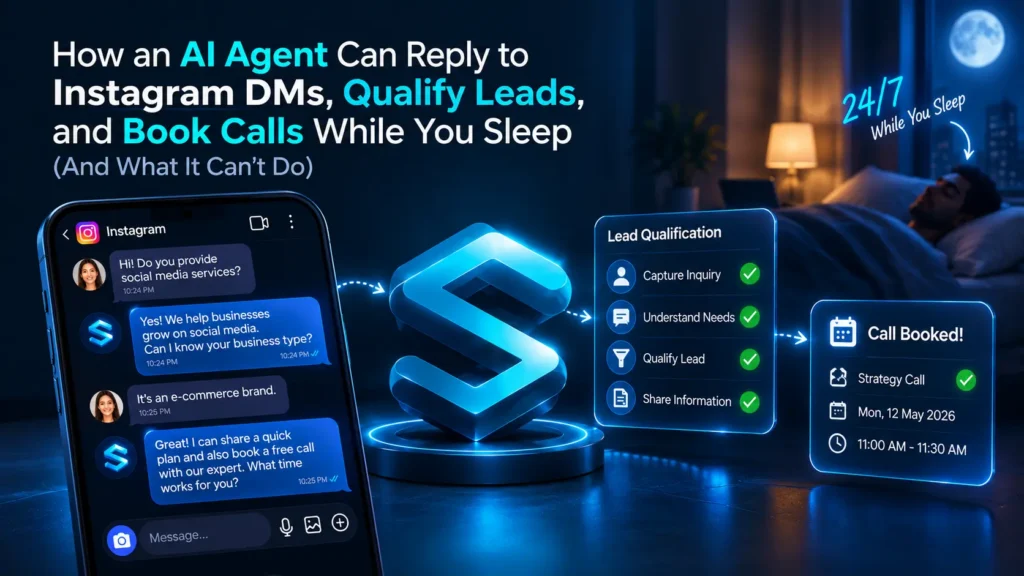
A night in your DMs: what the agent does, hour by hour
Here is an example of a typical night. It is an illustration, not a case study.
10:04 PM: A person replies to your story. The agent greets them within seconds, says it is an automated assistant, and answers their first question.
10:20 PM: The agent asks two or three simple questions about their goal, timeline, and budget range. It scores the lead as hot, warm, or cold.
11:45 PM: The lead looks hot. The agent shares your booking link or offers two time slots. The person books a discovery call.
11:46 PM: The agent tags the lead in your CRM, saves their email, and adds a short summary of the chat.
2:10 AM: A second person messages, gets answers, and then goes quiet.
8:00 AM: You open your inbox to a list of qualified leads, one booked call, and one chat waiting for a human.
Notice what the agent did not do. It did not message the second person again at 9 AM. Meta’s rules stop it. Which brings us to the part most guides bury.
The Meta rules every Instagram automation must follow
Meta sets firm limits for automated messages. Break them, and your tool can lose API access. Here is the plain version.
Your agent replies. It does not message first. The Instagram API lets you message only people who have already messaged you. That includes DMs, story replies, and comment triggers. If a tool promises to send the first message to strangers at scale, treat that as a warning sign.
The 24 hour window is your boundary. After someone messages you, your agent can reply for 24 hours. Inside that window, replies can include promotional content.
After 24 hours, only a human can reply. Meta’s Human Agent tag extends the window to 7 days, but only for a real person handling something that could not be resolved in the standard window, such as a weekend or an issue that takes longer to fix. Bots cannot use it. Meta also requires apps to pass review before they can use the tag, and your tool should handle that for you. After 7 days, the window is closed.
Tell people it is an AI. it means that chats must disclosed as they are automated chats or a AI based chat as per the Meta’s policy so that the trust is built and the chats keeps safe.
Respond fast, but not instantly. Meta’s policy says automated bots must respond to user input within 30 seconds. A good agent replies in a few seconds, which also feels natural.
Use the official API only. Never give your Instagram password to any tool. Tools that work outside Meta’s official API risk account flags and bans.
Keep messages short. Meta caps a single message at 1,000 bytes. English letters use one byte each, so that is roughly 1,000 characters. Hindi in Devanagari script uses about three bytes per letter, so those messages run out of room much sooner. Check Meta’s current documentation before you set reply length limits.
You can read the rules yourself in Meta’s Instagram messaging API documentation and the Messenger Platform and IG Messaging API policy.
What this means for “while you sleep”: it means agent can do chat with the lead understand what they want and based on that they can provide information as you would have provide an also book a meeting with a lead, but if a lead books a meet and didn’t come or reply for days then here’s the part of human to manage and call them.
How an AI agent replies, qualifies, and books a call
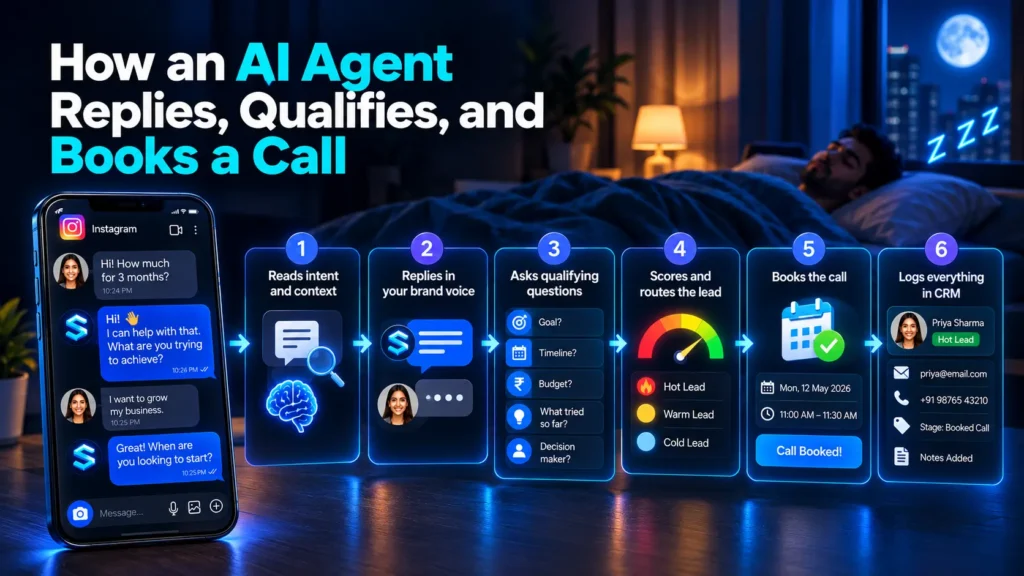
Here is the flow, step by step.
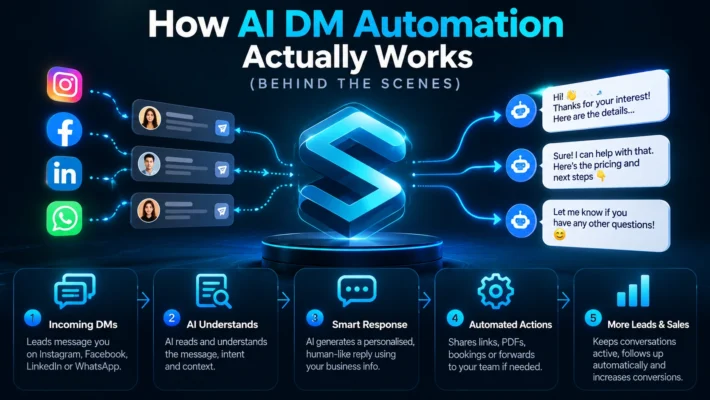
Step 1: It reads intent and context
The agent looks at the message and the whole chat so far. A person who writes “how much for 3 months?” gets a different answer from someone who writes “just looking.” This is natural language understanding in action.
Step 2: It replies in your brand voice
It means that there is not a generic template in which the automated ai chats replies it should be in your brand voice tone and personalized as per your brand like hinglish or english and formal or friendly as described by you.
Step 3: It asks qualifying questions
This is where lead qualification happens. The agent asks open ended questions, one at a time, like a good salesperson would:
- What are you trying to achieve?
- How soon do you want to start?
- What budget range feels comfortable?
- What have you tried so far?
- Are you the person who decides?
Two to four questions work best. More than that, and people drop off.
Step 4: It scores and routes the lead
A hot lead has a clear goal, a near start date, and a fitting budget. A warm lead is missing one of those. A cold lead is browsing. Hot leads go to booking or straight to a human. Warm leads get helpful information. Cold leads get a friendly answer and nothing more.
Step 5: It books the call
The agent shares your calendar link from Calendly or Google Calendar, or it asks for a preferred time and captures it. Booking only after qualification means your discovery calls and demo bookings are worth showing up for.
Step 6: It logs everything
Here is the thing where AI agents summaries all the details about the lead thor mobile number and email in the CRM provided by you and you have to just open the inbox and everything is already summarised for you.
How conversations start
Your agent needs someone to message first, so think about what starts the chat.
- Direct messages and message requests: the simplest trigger.
- Story replies and mentions: warm, high intent moments.
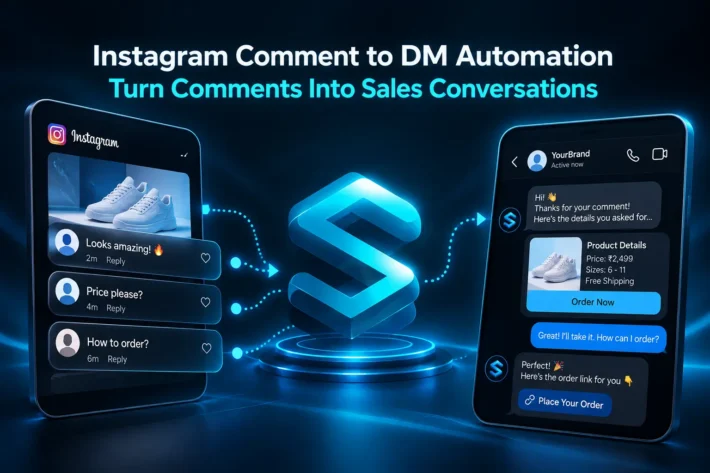
- Comment to DM: a person comments a keyword on your post and your agent opens a DM.
- Click to Instagram DM ads: an ad that opens a chat with your agent.
Strong content makes all four work better. If you want help creating the posts and pages that start those conversations, our fan page marketing work focuses on exactly that. Automation handles the reply. Content earns the message.
Who gets the most from an Instagram AI agent
Coaches and consultants
Coaches often sell through DMs, and discovery calls take time. An AI agent can qualify coaching leads before they reach your calendar, so you only talk to people who fit your offer and budget. This helps high ticket coaches most, because each unqualified call costs real time. If you sell through your personal brand, our founder personal branding service pairs well with a DM agent that turns attention into booked calls.
Product brands
It can be very useful in product brands like they can automate the chats which includes generic information like sizes guide, shipment status, delivery, or returns. It’ll also collects the details like their mobile no. emails and address.
Customer service and FAQs
One of the best use cases of AI Agent is to use them for customer support chats for big brands where customers are asking questions related to delivery, cancellation, shipment, prices or deposits etc. it saves hours of times for human agents to answer them and help them to manage the real ones problems.
Sales and support agents
Larger teams often split the work. A sales AI agent handles new leads. A support AI agent handles existing customers. A simple routing rule sends each message to the right one. Keep this simple at first. One agent with clear instructions beats three agents that confuse each other.
How to build one that works
You do not need to write code. You need clear instructions, good information, and patience.
Write the AI agent system prompt
The system prompt is the agent’s job description. Here is a starting point you can copy and adapt:
You are the Instagram DM assistant for [business name]. You talk in a [friendly, short, simple] tone. At the start of every new chat, say you are an automated assistant.
Your job is to answer questions using only the business knowledge below, find out if the person fits our service, and offer our booking link when they are ready.
Ask these questions one at a time: their goal, their start date, their budget range, what they have tried, and whether they make the decision.
Score the lead. Hot means a clear goal, a start date within 30 days, and a budget that fits. Warm means one answer is missing. Cold means they are only browsing.
Never share a price, discount, refund, or timeline that is not in the business knowledge. Never give medical, legal, or financial advice. If you do not know something, say so and offer a human follow up.
Hand off to a human if the person is angry, asks for a refund, asks something outside the knowledge, or is a hot lead who wants to talk now. Keep every reply under 600 characters. Reply in the language the person uses.
Business knowledge: [paste your services, approved price ranges, policies, FAQs, and booking link]
Build a business knowledge base
One of the best things of AI agents is to to build a business knowledge and give it only those details that are related to your business like prices, policies, hours and the other common questions that you want to share.
Mine your past conversations
Open your old DMs. List the questions people ask most, the objections that come up, and the replies that led to booked calls. This gives your agent real language instead of guesses.
Use AI as a design layer
Before launch, ask an AI model to play a skeptical lead and chat with your agent. Run 20 or 30 role play chats. Try rude messages, vague messages, and off topic questions. This stress test finds weak spots before real customers do.
Decide scripted or free form for each step
Lock exact text for prices, policies, and legal lines. Let the agent write small talk and answers to open questions. That mix keeps wording control where it matters.
Keep improving
Review transcripts every week. Fix wrong answers, add new questions to the knowledge base, and refine the prompt. Continuous improvement with fresh data is what separates a helpful agent from a frustrating one.
When a human must take over
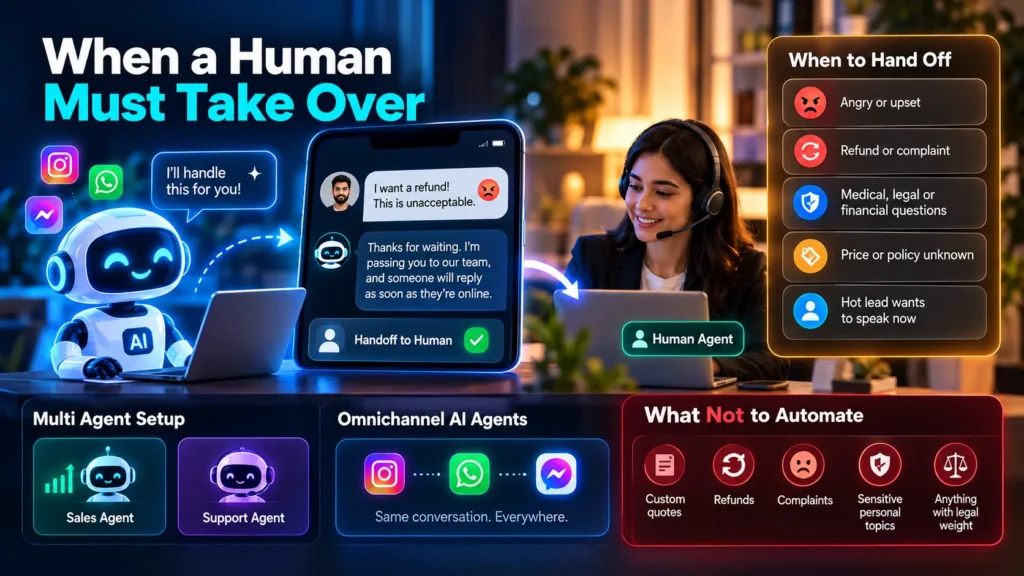
A good agent knows its limits. Set clear human handoff rules, also called human handover, so the chat moves to a person at the right moment.
Hand off when the person:
- Sounds angry or upset
- Asks for a refund or complains about service
- Asks about medical, legal, or financial matters
- Asks about a price or policy the agent does not know
- Is a hot lead who wants to speak now
Also write the handoff message itself, so it feels smooth: “Thanks for waiting. I’m passing you to our team, and someone will reply as soon as they’re online.”
If your inbox grows, you can add multi agent routing, where one agent handles sales and another handles support. If you also use WhatsApp and Messenger, omnichannel AI agents can keep the same context across all three. Start with one channel and one agent. Add more once the first works.
What never to automate: custom quotes, refunds, complaints, sensitive personal topics, and anything with legal weight.
Meta Business Agent, third party tools, or DIY?
You have three paths.
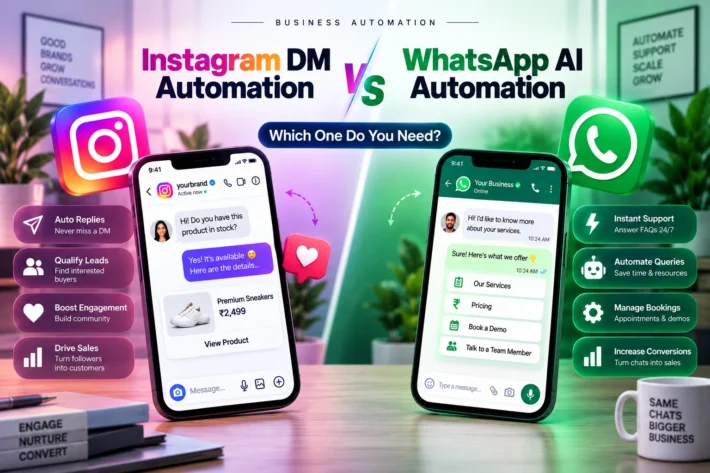
Meta Business Agent (built in). Meta launched it globally on June 3, 2026, and it works in Instagram DMs. It can answer questions, book appointments, and qualify leads. It started free, and Meta began charging on August 1, 2026. Reported pricing is $2 per million tokens, about 4 to 5 cents per message, and longer sales chats can cost more. Meta’s pricing page I reviewed covers WhatsApp, so check your own Billing Hub to see how it applies to your Instagram account.
Instagram chatbot platforms. An Instagram chatbot platform, tool, or software package gives you a visual builder, an inbox, and CRM links. Pricing varies. ManyChat, for example, bills by active contact, and its AI features cost extra. Some tools offer an Instagram chatbot free plan. ManyChat’s free tier covers 25 active contacts a month, and Instagram’s own Instant Reply covers basic FAQs and after hours messages. Free options rarely qualify leads or hold a real conversation.
DIY builds. You can connect an AI model to Instagram through tools like n8n and a flow builder. You control everything, but you also maintain everything. Choose this only if you have someone technical on your side.
A simple cost example
If you use Meta’s agent at 4 to 5 cents per message:
- 500 messages a month costs about $20 to $25
- 2,000 messages costs about $80 to $100
- 10,000 messages costs about $400 to $500
Real bills vary with chat length, so run a small test first and measure your actual cost per conversation. Ask every vendor how they bill: per contact, per message, per token, or flat. Ask what the AI add on costs. The entry price is rarely the real price.
What can go wrong
Every guide should say this. Most do not.
The agent quotes a wrong price. In Moffatt v. Air Canada, a tribunal held the airline responsible for wrong information its chatbot gave a customer. The airline paid about 812 Canadian dollars in total. Read the CBC report on the ruling. The lesson is simple: you own everything your agent says. Lock prices in your knowledge base and forbid guessing.
The agent replies to friends and family. Tell it to skip personal chats and alert you instead.
A lead returns after the window closes. Your agent cannot reply. A human can reply within 7 days using the Human Agent tag.
The agent sounds robotic. Add real examples of your own replies to the prompt and shorten the answers.
Double bookings. Connect your calendar properly and test it with fake bookings.
The agent never hands off. Test every handoff rule with a role play chat.
The truth about the 5 minute rule
You will often read that replying within 5 minutes makes you 21 times more likely to qualify a lead. That number comes from a 2007 study by MIT and InsideSales. It looked at phone calls to leads who filled in web forms, not Instagram DMs.
Speed still matters, and a fast reply beats a slow one. But treat the number as a reason to reply quickly, not as a promise. Most of the big conversion numbers you see online come from the companies selling the tools. Measure your own results.
Instagram AI agents for businesses in India
If your audience speaks Hindi or Hinglish, your agent should too. A good multilingual inbox lets the agent reply in the language the person uses. Test it with real examples. A short Hinglish opener might read: “Namaste! Thanks for messaging us. Aap kis service ke baare mein jaanna chahte ho, pricing ya timeline?”
Keep three things in mind:
- Message length: Hindi in Devanagari takes more bytes, so keep replies short.
- WhatsApp handoff: many Indian customers prefer WhatsApp. Ask for their number and move qualified leads there for follow up.
- Time zones: “while you sleep” depends on your audience. If you serve clients in India, Canada, and the UK, your agent covers hours that your team cannot.
Test it for 14 days before you trust it
Week 1, soft launch. Let the agent handle FAQs only. Read every transcript. Fix wrong answers daily.
Week 2, add qualification and booking. Turn on the qualifying questions and calendar link. Keep reading transcripts.
Track these numbers: first response time, reply rate, qualified lead rate, booked calls, handoff rate, and complaints.
Write down your results, even if they are small. Real numbers from your own account beat any vendor statistic.
Frequently asked questions
Can AI reply to Instagram DMs automatically?
Yes. An AI agent connected through Meta’s official API can reply to DMs, story replies, and comments. It can answer questions, qualify leads, and share booking links. It must follow Meta’s rules, including the 24 hour window and a handoff path to humans.
Is Instagram DM automation safe?
It is safe when you use a tool built on Meta’s official API and follow Meta’s rules. Avoid any tool that asks for your Instagram password. Those tools work outside the official system and put your account at risk of flags or bans.
Can a bot message first on Instagram?
No. Instagram’s API lets you message only people who have messaged you first. A bot can reply to a DM, a story reply, or a comment trigger, but it cannot start a chat with a stranger.
Does Instagram allow AI chatbots?
Yes, within Meta’s rules. Your chatbot must respond to users, hand off to a human when needed, and disclose that it is automated when the law requires it. Meta also launched its own Business Agent for Instagram DMs.
What is the 24 hour messaging window?
After someone messages you, your automated agent can reply for 24 hours. After that, only a human can reply, for up to 7 days, using the Human Agent tag. After 7 days, you cannot reply through the API.
Can a bot use the Human Agent tag?
No. Meta reserves the tag for real human agents. It supports cases like weekends or issues that take longer than 24 hours to solve. Using it for automated messages can lead to errors or lost API access.
How do I qualify leads in Instagram DMs?
Ask two to four open ended questions about the person’s goal, timeline, and budget. Score the answers as hot, warm, or cold. Send hot leads to a booking link or a human, and keep warm and cold leads informed.
Can an AI agent book calls from Instagram?
Yes. After qualifying the lead, the agent can share your Calendly or Google Calendar link, or capture a preferred time. Qualifying first means the calls on your calendar come from people who fit your offer.
Is Meta Business Agent free?
It was free at launch, but Meta began charging on August 1, 2026. Reported pricing is $2 per million tokens, around 4 to 5 cents per message. Check your Billing Hub, since details for Instagram accounts may differ.
When should a human take over the conversation?
Hand off when the person is angry, asks for a refund, raises a sensitive topic, asks something the agent cannot answer, or is a hot lead who wants to talk. Test every handoff rule before launch.
About the author
SocialSEO Team
SocialSEO is a social media and personal branding agency based in Noida. Our team works on Instagram content, fan page marketing, meme marketing, and founder Personal branding for businesses that want more attention and more qualified conversations. We write about what we see in the inbox every day: what helps brands turn followers into booked calls, and what wastes their time. Have a question about Instagram DM automation or lead qualification? Message us, and a real person will reply.
Conclusion
An AI agent will not run your sales for you, and you should be wary of anyone who says it will. What it can do is simple and valuable. It answers fast, asks good questions, books the right calls, and keeps your inbox from turning into a pile of cold leads while you sleep.
The best results come from setting it up with care. Learn the Meta messaging rules first. Write a clear system prompt. Build a business knowledge base that holds only what you want said out loud. Decide which replies stay scripted and which ones the AI writes. Then set your human handoff triggers, so a real person steps in when a chat gets sensitive, angry, or important.
If your audience speaks Hindi or Hinglish, give your agent a multilingual inbox and test it with real messages. If you sell through your personal brand, pair it with strong content so more people start the conversation in the first place.
Start small. Run the 14 day test, read every transcript, and keep improving the agent with fresh data. Within a few weeks, you will know exactly what it handles well and where your team still needs to lead.
Want help setting up your Instagram DM workflow, from the content that starts conversations to the AI agent that qualifies and books them? Talk to the SocialSEO team, and we will build it around your business.