How Instagram Comment to DM Automation Turns Comments Into Sales Conversations
Summary
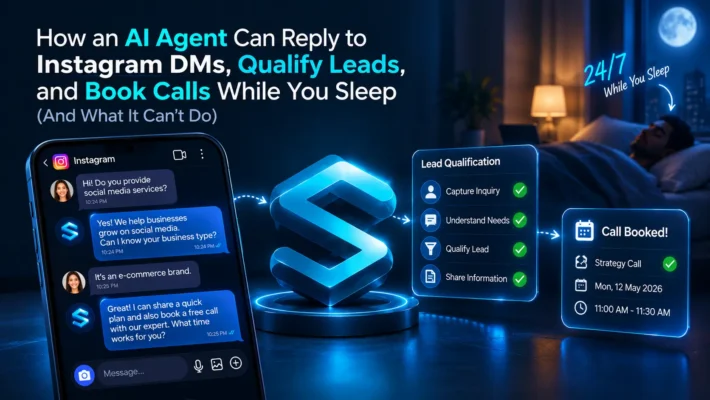
A great technique to answer the comments on Instagram within seconds of receiving them is to use comments to dm automation for your account. As it is the first impression of your client with your brand and if it is a well directed message so it can turn comments into sales conversations and only keep reply after the person messages. In this guide we will cover exactly that how you can write the first automated message reply in such a way that it’ll help you to engage with the leads and how the ones who are doing conversation gets redirected to the human to convert them.
Key Takeaways
- Comment to DM automation turns a public comment into a private sales conversation, and the person always starts it by commenting first.
- Meta allows one private reply per comment, and you must send it within 7 days.
- You can only keep the chat going after the person answers your first message, so make message one deliver your offer and ask one easy question.
- Follow the Comment, Deliver, Ask, Hand Off framework to keep every campaign simple and organized.
- Official API tools carry far less risk than bots, scraping tools or apps that ask for your password.
- If some commenters never get the DM, check hidden comments, follow gates, keyword mismatches and the Message Requests folder first.
- In India, a comment is not a WhatsApp opt in, so invite people to message you and ask for clear consent before you collect their details.
- Track the full path from comment to sale with UTM links and GA4, and trust your own numbers over any tool vendor’s claims.
Introduction
Picture this. Someone watches your Reel while waiting for their coffee. They like what they see, and they type one word in the comments. A few seconds later, you land in their inbox with exactly what they asked for.
That is Instagram comment to DM automation. No website visit, no form, no hunting for the link in your bio. A stranger raised their hand, and you answered.
Here is the catch. Most guides tell you to send a link and call it a day. That is where most of the money slips away. The link is the easy part. The conversation after it is where people decide to buy.
In this guide, we walk you through how the feature works, what Meta allows, how to write a first message that gets replies, and how to turn those replies into real sales. We also tell you where the internet disagrees, so you don’t build your plan on a shaky claim.
The Quick Answer
As per meta’s private reply feature, it will only give you the one message per comment and only when they comment a keyword on your post that you have mentioned on the keywords list of automated reply, it means if someone is commenting on your post so you have only one chance to impress them. So you have to make that count you should play a psychological role in automated reply like you should give the promise, ask any question and then pass the lead to any human or a booking link.
Why You Can Trust This Guide
We checked the rules below against Meta’s own developer documentation, not against tool vendor blog posts. When sources disagreed, we say so and tell you how to check for yourself. Tool companies love big numbers, so we mark every benchmark that comes from a vendor. You will find our sources and the things we could not confirm near the end of this post.
What Instagram Comment to DM Automation Really Is
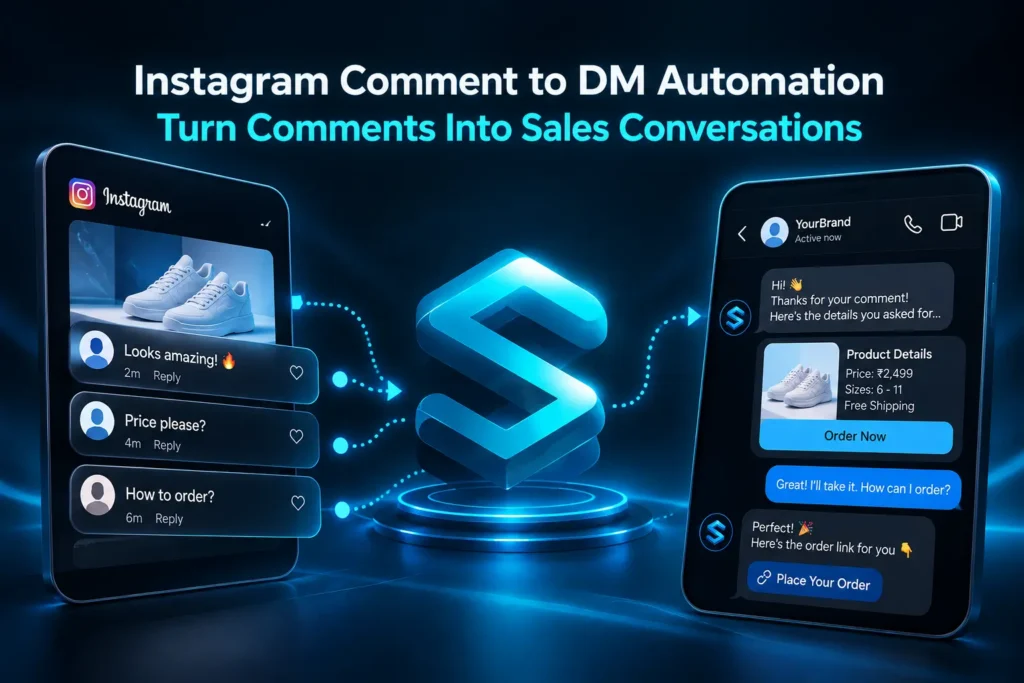
It starts with your caption. You write a call to action like “Comment GUIDE and I’ll send it to you.” A person comments that word. A tool spots the comment and sends a DM. You can also leave a short public reply under their comment, so everyone scrolling sees that you answer.
Three small parts make the whole thing work:
- The trigger word. This is the keyword in the comment, such as GUIDE, PRICE or LINK.
- The first DM. This automated message delivers your offer.
- The public reply. This is a quick comment under theirs. Keep it to a sentence or two, and save the details for the DM.
You can fire the DM on one keyword or on any comment. A keyword trigger gives you cleaner leads, because the person asked for something specific. An any comment trigger suits giveaways, where you want everyone in, but it also pulls in people who have no interest in buying.
You may also hear people call this Instagram auto reply to comments, or just Instagram auto DM. The names change, but the idea stays the same. A public comment turns into a private conversation.
How It Works Behind the Scenes
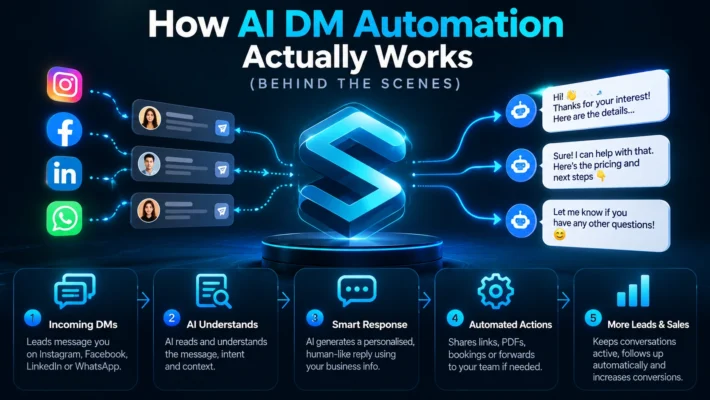
You don’t need to be technical, but one idea makes everything clearer. When someone comments, Instagram sends a signal to your tool through something called a webhook. Your tool reads the comment ID and uses it to send a private reply. That is the whole trick.
Before you start, you need three things:
- An Instagram professional account, which means a Business or Creator account. Meta’s API limits make this a must for DM automation.
- A Facebook Page linked to that account.
- A tool that connects through Meta’s official Instagram Graph API and Messaging API, or your own build on top of them.
The Rules Meta Sets (Read These Before You Build Anything)
Meta’s developer documentation lays out the limits clearly. You can read it yourself here: https://developers.facebook.com/documentation/business-messaging/instagram-messaging/features/private-replies
Learn these five, and you will dodge most of the mistakes people make.
- You can send only one message to the person who commented.
- You must send it within 7 days of the comment.
- On Instagram Live, you can only reply while the broadcast is running.
- The message lands in the Inbox if the person follows you. It lands in the Message Requests folder if they don’t.
- You can keep the chat going, inside the 24 hour messaging window, only after the person replies to your private message.
Rule five should shape your whole plan. Your automation does not get a long conversation. It gets one shot, and the person has to answer before you can say more.
Is Instagram DM automation allowed?
Yes. it is allowed if you are connected to the official API only if you are using any third party service than it’ll lead to the suspension of your account only. Like some peoples add bots and third party automation like for cold irrelevant DM’s, so you should only go for use the automation feature that is only provided by the meta only that tools that take action only when someone comments or a story reply. So if you follow these official feature then it’ll be a safe setup.
Will Instagram ban me for using auto DM?
Official API tools carry far less risk than unofficial bots that copy human behavior. The bigger danger comes from spam signals. Some tool makers warn that sending the same long message to hundreds of people, stuffing in risky links, or messaging people who never asked can lead to spam reports and account restrictions. We can’t confirm exactly where Meta draws that line, so play it safe. Vary your wording, keep your messages useful, and only message people who commented.
Did Instagram Just Launch This? Myth Versus Fact
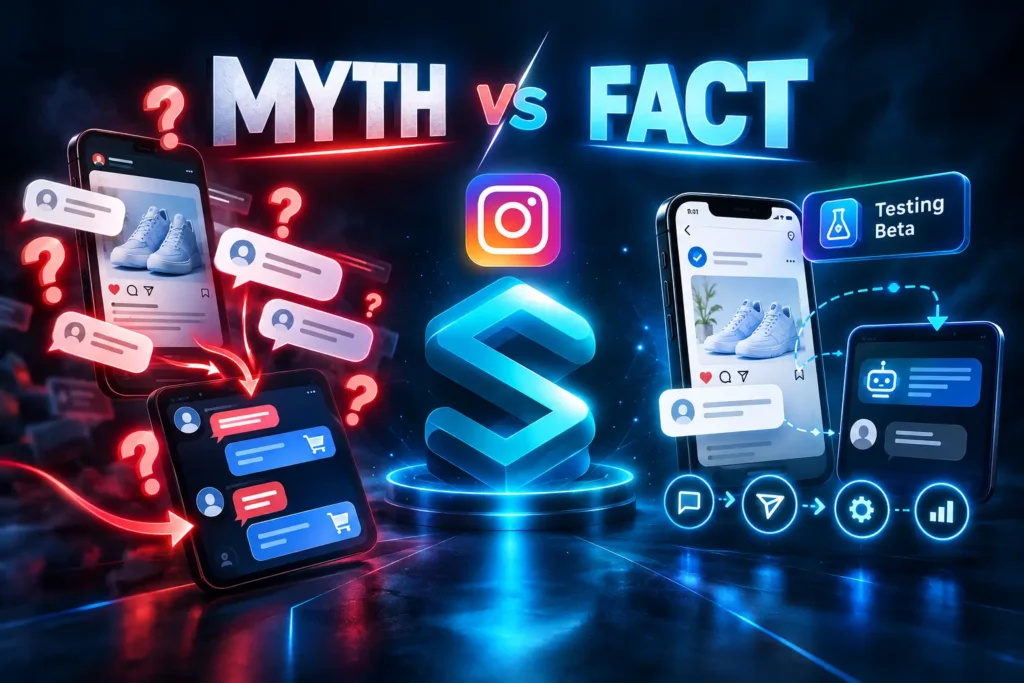
You may have seen posts claiming that Instagram just turned every comment into a sales conversation. That overstates things. The private reply feature already works in 2026 for comments on posts, Reels and Stories.
What is new is smaller. Meta is testing a Reply to Keywords option inside Instagram ad setup. It sends an automatic DM when someone comments a chosen keyword on a promoted post, and advertisers can pick up to five keywords. Meta ads expert Jon Loomer reported it in August 2026, and Social Media Today covered it too: https://www.socialmediatoday.com/news/meta-tests-auto-dm-response-for-instagram-ad-comments/828791/
Reports still call it a test, and Meta has not confirmed it as a public feature for everyone. So watch it, but don’t build your whole plan around it.
Native tools cause confusion as well. Some guides say Instagram has no built in comment to DM tool. Others say Meta Business Suite includes one, and one places it under Inbox, then Automations. Meta rolls features out unevenly, so open Meta Business Suite on a desktop and see whether a Comment to Message option shows up for your account. If it does, you have a free place to start. If it doesn’t, choose a Meta approved tool.
The One Message Problem (And How to Beat It)
Here is the gap most blogs skip. They promise a “sales conversation,” but Meta allows one automated message until the person replies. If message one only drops a link, the conversation ends before it begins.
The fix is simple. Give message one two jobs. First, it delivers what you promised. Second, it asks one easy question. When the person answers, the 24 hour window opens, and you can start qualifying the lead.
Keep the question tiny. People happily answer “Are you posting for a brand or for yourself?” They freeze when you ask “Tell me about your goals.” Quick reply buttons help too. Many tools let people tap an answer instead of typing one.
Three message one examples you can copy
Lead magnet: “Hi [first name], here is the free content calendar you asked for: [link]. Quick question so I send the right tips. Do you post for a brand or for yourself?”
Price question: “Hi [first name], thanks for asking about the price. Plans start at [price]. Which one are you looking at, the starter or the full setup?”
Booking: “Hi [first name], happy to help. Here is a link to pick a time: [link]. If you reply with your website first, I’ll look at it before we talk.”
Notice what these messages skip. They don’t pitch, and they don’t send a wall of text. They sound like a person who read the comment.
The Comment, Deliver, Ask, Hand Off Framework
Use this four step flow for every campaign. It keeps your DM template simple and your leads organized.
1. Comment. Your caption sets the trigger. Name the exact word and the exact reward. “Comment PLAYBOOK and I’ll DM you the checklist” beats “drop a comment below” every time. Use one keyword per offer, since two competing asks split your audience.
2. Deliver. Message one gives the resource right away. Speed matters, but a DM that lands half a second after the comment can feel robotic. A short pause makes it feel more human.
3. Ask. End with one qualifying question. This is your lead qualification step, and it reveals the buying signal. You want to learn what they need, when they need it, and whether it fits their budget.
4. Hand off. Send strong leads to a person or a booking link. Give weaker fits a helpful resource and leave it there. Log everyone in a CRM or a simple sheet so no lead disappears.
Which leads deserve a call?
Run four quick checks. Did they answer your question? Do they have a clear need? Does your offer fit their budget? Do they want to act soon? Three yes answers usually point to a warm lead worth a call. One or two yes answers mean you should keep nurturing them with content.
Keyword Triggers or AI Intent Detection?
One of the best feature is keyword triggers because it helps in easy reply and keeping the things simple as if you type a keyword so it send message for any guide or any link.
And a difference in ai intent is that it detects the meaning of the comment that has received on the post as its helpful when someone misspells the word in comment then ai will interpret that what the lead wants to ask to provide the way according to it, and there are also some of the tools that also act like an AI sales agent. They are capable of reply like the way you are replying to the leads, they can also book the meetings also.
Now its depends on your requirement that which one feature you should opt for if there is a guide or a link that you have to send you should prefer keyword trigger one or if you want to get many messages or want to read them when they all get piled up you’ll still need an human agent to read them and reply at the end
Native Tool, Third Party Tool or DIY?
You have three routes, and each one fits a different kind of business.
Native. If Meta Business Suite offers the tool on your account, it costs nothing. It may limit your keywords, run slower than paid tools, and work only on desktop. Test it before you count on it.
Third party tool. Tools like Manychat give you visual flows, templates and analytics. Pricing differs a lot. Some tools charge a flat rate, and others charge per contact, so your bill can grow as your list grows. Pick a Meta approved tool, ask how it handles rate limits, and check whether it supports human handoff. Agencies should also look for multi account management.
DIY. Builders in the Make.com and n8n communities have shared flows that read each comment, work out its intent, reply in public, and send a DM only when it makes sense. This route gives you full control. It also hands you the maintenance and the Meta app setup.
Five questions make the choice easier. How many comments do you get each day? Do you need a CRM connection? Do you need flows with many steps? Who will maintain it? What is your monthly budget?
Why Some Commenters Never Get the DM
This is the part people search for right after they launch, and few blogs cover it well. Check these causes one by one.
The comment was hidden or filtered before your tool saw it. Review your hidden words and moderation settings. A hidden comment can’t trigger a DM.
You turned on a follow gate. On a viral Reel full of new people, a gate can make it look like your automation broke when it is simply doing its job. Decide whether the gate is worth the leads you lose.
The person doesn’t follow you. The DM went to the Message Requests folder, and they may never open it. Add a line to your public reply, like “Check your message requests if you don’t see it.”
The keyword doesn’t match. Watch for spelling, spaces and capital letters, especially in simple tools.
Your account is personal. Switch to a Business or Creator account.
The comment is older than 7 days, or the Live has ended. Reply faster next time.
A viral spike overwhelmed your tool. Pick a tool that queues and paces its messages, and check your logs for delays.
Someone commented twice. Meta allows one private reply per comment, so handle the second comment inside the first conversation.
Instagram to WhatsApp: The India Playbook
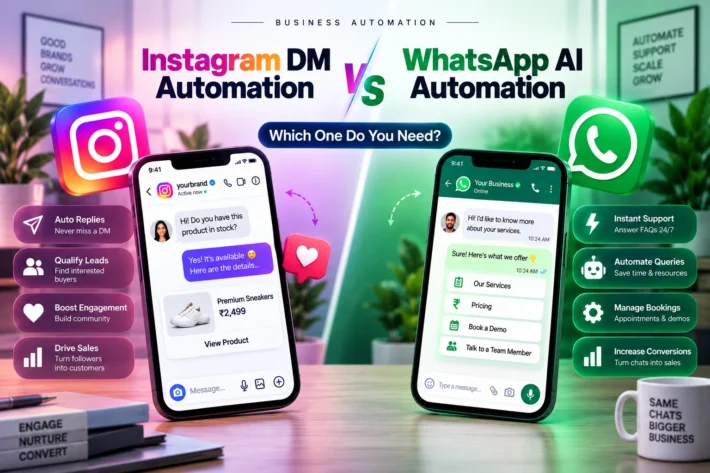
In India, many buyers want to pay by UPI, ask for a GST invoice, or chat on WhatsApp. Instagram DMs work well for the first hello, but they don’t collect payments well. That is why many Indian brands move the buyer to WhatsApp Business after the first reply.
Handle this step with care. A comment is not a WhatsApp opt in, so don’t add commenters to WhatsApp broadcasts just because they typed a keyword. Ask the person to message your WhatsApp number themselves, or share a click to WhatsApp link inside the DM and let them choose.
Consent matters too. Many compliance guides for Indian sellers say the DPDP Act 2023 applies even when you only sell through Instagram DMs and WhatsApp. Before you collect a phone number or an email address, tell people what you will use it for, and ask for a clear yes. Rules change, and we aren’t lawyers, so check your exact setup with a legal expert.
Language gives you an edge as well. Many Indian customers write in Hinglish, so your replies should match. A friendly Hinglish line in message one can feel far more human than stiff English, and global tools rarely mention this.
How to Measure Comment to Sale
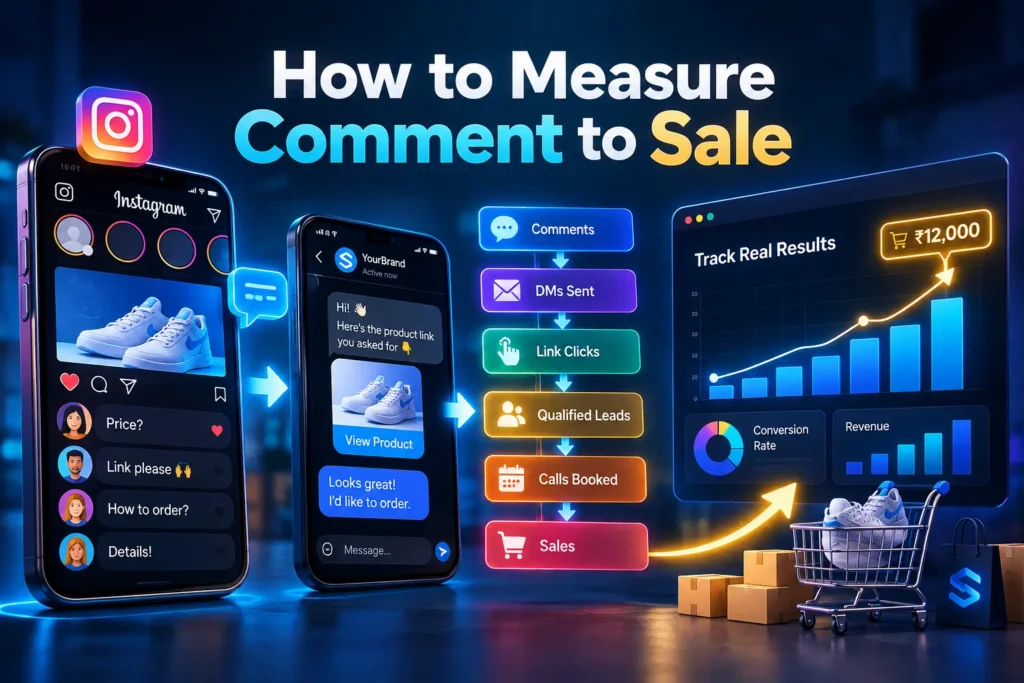
Most tools show you opens and clicks. That isn’t enough. You want to follow the whole path from comment to money.
For each post, track these numbers: total comments, comments with your keyword, DMs sent, reply rate, link clicks, qualified leads, calls booked and sales. Add UTM parameters to every link so GA4 shows which Reel brought in the sale. Then compare posts with a simple A/B test, and repeat what works.
Here is a quick formula for revenue per post:
Comments, times keyword rate, times reply rate, times qualified rate, times close rate, times average order value.
Try an example. Imagine 200 comments. Of those, 60 percent use the keyword, 40 percent of those people reply, 25 percent of repliers qualify, and 20 percent of those buy at 5,000 rupees each. The math is 200 times 0.6 times 0.4 times 0.25 times 0.2 times 5,000, which gives 12,000 rupees from one post. Those are made up numbers to show how the formula works. They are not real results, so plug in your own.
Be careful with benchmarks. You will see claims of 80 to 90 percent DM open rates all over the web. Even a source that repeats those numbers admits that Meta publishes no official open rate benchmark. Treat those figures as vendor claims. Your own data is the only benchmark that counts.
When Not to Automate
Automation fits repetitive, simple requests. It fits poorly in a few cases.
High priced offers need trust, so bring in a human early. Use the DM to collect an email or book a call instead of pushing a checkout link. Sensitive topics like health or money need careful, personal replies. And if every message sounds the same, people notice. Write the way you talk, change your openers, and let a real person take over when the chat gets complicated.
Your Setup Checklist
- Switch to a Business or Creator account and link your Facebook Page.
- Pick one offer and one keyword.
- Write a caption that names the keyword and the reward.
- Build message one so it delivers and asks.
- Add a short public reply under each comment.
- Add UTM links and a simple CRM sheet.
- Test with a friend’s account, including one that doesn’t follow you.
- Review your results after a week and fix the weakest step.
Our Sources and What We Could Not Confirm
What we checked. The five rules in this guide come from Meta’s private replies documentation: https://developers.facebook.com/documentation/business-messaging/instagram-messaging/features/private-replies. The Reply to Keywords test comes from Social Media Today’s report: https://www.socialmediatoday.com/news/meta-tests-auto-dm-response-for-instagram-ad-comments/828791/. We also read how Manychat, Inro, CreatorFlow, DM Champ and other tool makers describe the feature, and the Make.com and n8n communities for DIY builds.
What we could not confirm. Whether Meta Business Suite offers a Comment to Message tool for every account. Tool makers disagree, so test it on yours. The exact hourly sending limit. Vendors quote different numbers, so we don’t print one. Any open rate or conversion figure from a tool company. We treat those as marketing claims, not facts.
A note on law. Our India section describes common practice, not legal advice. Talk to a qualified lawyer about the DPDP Act and your own setup.
We update this guide when the rules change, and the date at the top shows the last time we checked.
Frequently Asked Questions
What is Instagram comment to DM automation?
It sends a private message when someone comments a keyword on your post or Reel. It turns a public comment into a private conversation.
How does comment to DM automation work?
Instagram tells your tool when a comment arrives. The tool uses the comment ID to send one private reply to that person.
Does Instagram have native comment to DM automation?
Sources disagree, and Meta rolls features out unevenly. Check Meta Business Suite on desktop under Inbox and Automations. Meta is also testing a Reply to Keywords option for ads.
Is Instagram DM automation allowed?
Yes, through the official API, when the person commented first. Cold DMs and password based tools break the rules.
Will Instagram ban me for using auto DM?
Official API tools carry low risk when you follow the rules. Spam behavior and unofficial bots cause most of the trouble.
Can I send more than one automated message?
Not to a commenter. Meta allows one private reply per comment, and you can continue only after the person replies.
Why did only some commenters get the DM?
The usual causes are hidden comments, follow gates, keyword mismatches, personal accounts, old comments and the Message Requests folder.
Do I need a keyword, or will any comment trigger a DM?
Either one works. Keywords give you cleaner leads, and any comment suits giveaways.
What happens if the commenter doesn’t follow me?
The DM lands in their Message Requests folder, so they may miss it. Mention that in your public reply.
How long do I have to reply to a comment?
You have 7 days. On Live, you can only reply while the broadcast runs.
Can I automate replies on Instagram Live?
Yes, but private replies must go out while the Live is running.
Can I move the conversation to WhatsApp?
Yes, but a comment is not a WhatsApp opt in. Invite the person to message you, or share a click to WhatsApp link and let them choose.
How do I measure sales from comment to DM?
Track comments, replies, clicks, qualified leads and sales for each post. Add UTM links so GA4 can tie each sale to the Reel.
About the Author
We are the SocialSEO team, a social media and personal branding agency based in Noida, India. We help brands, founders and creators turn attention on Instagram into real conversations and customers. Our work covers fan page marketing, meme marketing and founder personal branding, so we spend our days watching how people comment, react, message and buy.
We wrote this guide because most advice on comment to DM automation reads like a tool brochure. We wanted to give you the version we would want to read ourselves. That means checking the rules against Meta’s own documentation, saying so when sources disagree, and marking vendor claims as vendor claims. We also update this post when Meta changes how things work, and the date at the top shows our last check.
Have a question about this guide, or want help building a comment to DM flow that fits your brand? Reach out to us through socialseo.in. We read every message.
The Bottom Line
Think back to the stranger watching your Reel. They had a question, and they raised their hand by typing one word. Comment to DM automation simply makes sure you answer while they’re still interested.
The tool does the fast part. You do the human part. Deliver what you promised, ask one easy question, and let the reply tell you who is ready to buy. That is how a casual comment turns into a real sales conversation.
You don’t need a big setup to begin. Pick one offer, one keyword and one clear first message. Stay inside Meta’s rules, since one message per comment and the 7 day window leave little room for sloppy planning. Then track the full path from comment to sale with UTM links and GA4, find the weakest step, and fix it. Small improvements add up fast when every Reel feeds the same system.
Keep one thing in mind as you grow. Automation should make you easier to reach, not harder to reach. When a lead looks serious, step in yourself. People remember the brand that replied like a person, and that is what turns one comment into a customer who comes back.
Ready to try it? Start with your next Reel. Write the caption, set up the trigger, test it with a friend’s account, and watch what happens. If you’d like help building a comment to DM flow that fits your brand, talk to our team, and we’ll set it up with you.