
Build a Varun Mayya’s Game Unleash the Avatar By Ai
Summary
If you’ve searched for Varun Mayya’s game, Unleash the Avatar, you’ve probably wondered whether AI made it. It didn’t. The team at Aeos Games builds it by hand in Unreal Engine 5. But AI can build a small, playable game from plain English, and we wanted to see how far that goes. So we made a free fan tribute that you can play right now.
This guide walks you through the whole process: picking a tool, shrinking your idea, building one feature at a time, fixing bugs, playtesting and publishing. You’ll also get the real facts about Unleash the Avatar, and the rules for making a fan game the right way.
Key Takeaways
- Unleash the Avatar is not an AI game. Aeos Games says it uses no generative AI for art, writing or voice.
- Our version is a fan tribute. It’s free, unofficial, and not affiliated with Aeos Games. Play it at play.socialseo.in.
- Start tiny. Describe your game in one sentence of gameplay, not a whole world.
- Plan first. Ask the AI for a short design document and a step plan before it writes any code.
- Change one thing at a time. Ask for one feature, play the game, then ask for the next.
- Be specific. Tell the AI what the player sees, what triggers it and what happens next.
- Save every version that works. Name your files v1, v2, v3 so you can always go back.
- Don’t panic when it breaks. Give the AI the error, what you expected, and what it must leave alone.
- Playtest like a stranger. AI can’t tell you if your game is fun, fair or clear.
- Label fan work honestly. Never suggest you’re the official studio, and double check any facts about culture or myth.
- Know the rules. Prompts alone may not give you copyright, and Steam and Google Play have their own AI disclosure rules.
Quick Answer
To build a playable game using only AI prompts, pick one simple idea, ask an AI chat tool or coding agent to build it, and add one feature at a time. Play after every change. When something breaks, give the AI the error and ask for the smallest fix. A small first game can take an afternoon. A bigger one takes longer, because you still make all the design calls.
Play the Free Fan Tribute
We made an unofficial tribute called Dashavatar: Blocks of Vishwapur. It’s a free browser game with a block built open world, inspired by Unleash the Avatar. You play Vikram, a young warrior who walks through the ten avatars of Vishnu: Matsya, Kurma, Varaha, Narasimha, Vamana, Parashurama, Rama, Krishna, Buddha and Kalki.
Play it here: play.socialseo.in
It plays best on a computer with a keyboard and mouse. You get four modes: Story, Akhara Training, Free Roam, and a Chaos Dungeon boss rush. Press ESC in the game any time to see the controls.
A quick note so nobody gets confused. This is a fan made tribute, not affiliated with Aeos Games or Varun Mayya. It’s not the game and it’s not a way to play the real game. All the art is procedural which means the code draws it. We didn’t use any image files from the game.
What Is Unleash the Avatar? (The Real Game)
People often search for it as “Unleash the Avatars,” but the official name is Unleash the Avatar. Here’s what the published reports say.
- Who makes it. Aeos Games, a studio in Bengaluru. Varun Mayya, an entrepreneur and creator, produces it. His brother Rohan Mayya is the CEO and co founder.
- What it is. A soulslike action game rooted in Indian mythology. It’s set in an alternate India where the wall between Earth and Naraka has cracked, and you play Vikram in the coastal region of Vishwapur.
- How it plays. You dodge, parry and break enemy posture. There’s also a ranged chakra weapon and a feather prism form.
- How it’s built. The team uses Unreal Engine 5, scans real historic towns, records full body motion capture and writes its own enemy AI.
- Who’s behind it. In a June 2026 interview, Rohan Mayya described a self funded studio with around 30 core members and a few part timers.
- Where it stands. It’s a PC game in development, and you can wishlist it on Steam. Reports pointed to a 2026 launch, but the date stayed vague in the sources we checked. Look at the Steam page for the latest.
If you want the full story, read the Outlook Respawn interview with Aeos Games and the Digit hands on preview.
Is Unleash the Avatar Made With AI?
No. Aeos Games says it doesn’t use generative AI for the game’s assets, writing or voice work. The team uses AI to bounce ideas around and handle small chores, not to make the game itself. Rohan Mayya has also said it was faster for the team to build characters in Unreal Engine and touch them up by hand than to fight with AI art.
He’s even told people who think it’s an AI game to try building one with AI alone. We liked that challenge, so we took it. What we ended up with is small, rough and playable. It’s a tribute, not a rival to a studio game, and the gap between the two is the most honest lesson in this whole post.
How We Built the Fan Tribute With AI Prompts
We used a coding agent called Claude Code, and we did it in three big passes.
- A first draft from a reference. We shared a public video of a block world game and asked the AI for a first playable version.
- A reskin. We asked it to turn that draft into a tribute inspired by Unleash the Avatar. We couldn’t match the real game’s graphics, since it uses scanned real places, so we went with a block world look.
- A story mode. We asked for a story based on the ten avatars. The AI built the whole app in one go, with Story, Training, Free Roam and controls.
That worked because a coding agent can read and edit lots of files at once. A chat tool needs smaller steps, and we’ll cover both paths below.
But it wasn’t perfect. Once we actually played it, we found problems the AI never mentioned.
- One quest needed seven followers, and only one showed up.
- Some helper characters got stuck or fell behind.
- The game sometimes missed that the player had unlocked parry, so a quest stalled.
- A few goals were so unclear that players kept asking where to go.
- The boss fight was brutal.
- The voiceovers got annoying fast, so we turned them off while testing.
Those problems are exactly why the playtest section further down matters so much.
What “Only AI Prompts” Really Means
Lots of tutorials say “no coding needed,” then ask you to install Python, save five files and run a command in a terminal. Let’s be honest, that’s still coding, just with a helper.
The best way to do it is like this. You ask an AI tool to make a game, inside one HTML file. The tool creates the code. You open the file in your browser. Play it right inside the chat if your tool allows that. You never write a line of code and you never install anything.
Not every game fits this route. Big 3D games need a game engine or a coding agent. But for a first game, one file is the fastest way to watch your idea move on a screen.
Pick Your Path Before You Start
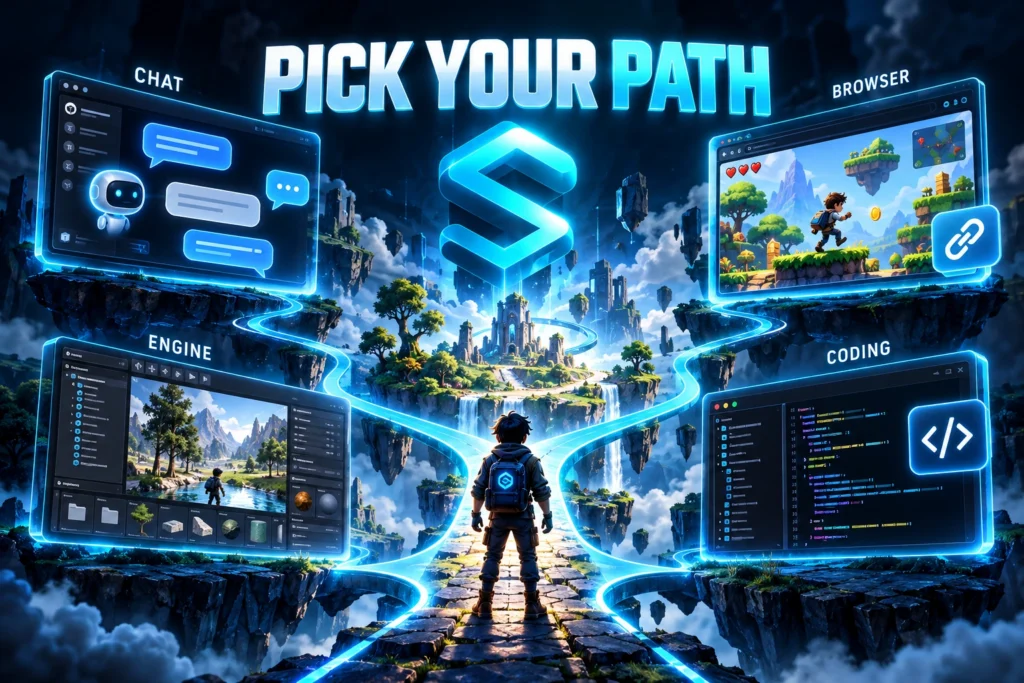
The wrong tool can eat a whole weekend, so choose with care. There are four main paths.
Chat tools like ChatGPT, Claude, Gemini and Grok are great for a first small game in your browser. Just know that long chats lose track of your code.
Browser game tools like Rosebud AI, Astrocade, Cinevva, Lovable and Replit are great for quick prototypes you can share with a link. Watch for limits on exports, credits and commercial use.
AI native game engines like Summer Engine, WizardGenie, GDevelop and Godot suit 3D games, desktop exports and projects you fully own. They take more time to learn.
Coding agents like Claude Code, Cursor, Codex and GitHub Copilot suit bigger projects with many files, like our tribute. A big change can bring big bugs.
Most vendor guides push their own tool, so read them with that in mind. Want a quick win? Use a chat tool. Want a link to share? Use a browser game tool. Dreaming of Steam someday? Plan for an engine or a coding agent.
Step 1: Shrink Your Idea to One Core Loop
The biggest reason AI game projects stall is scope. Unleash the Avatar takes a whole studio years. Your first game should take an afternoon.
Write one sentence about the smallest version of your idea that’s still fun. That’s your core loop, the thing the player does over and over.
- A small spirit runs along the ground and jumps over rocks.
- A cat walks around a room and picks up fish.
- A card flips when you click it and shows a random number.
For our teaching example we’ll use the first one and call it Lantern Run. A lantern spirit runs forward, and you press the space bar to jump over obstacles. That’s the whole game.
You could also start with a classic like Snake, Flappy Bird or a Wordle style word game. Just give your version new names, new art and new rules.
Step 2: Write a Game Design Document With AI
Before you ask for any code, ask the AI to plan. Send this prompt:
“I want to make a simple browser game called Lantern Run. A lantern spirit runs along flat ground. The player presses the space bar to jump over obstacles. The game ends when the spirit touches an obstacle. Write a short game design document in plain language. List the rules, the controls, the win and lose conditions, and the features for version one. Keep the scope very small.”
Read what comes back and cut anything that feels too big. Then send a second prompt:
“Now turn this into an implementation plan. Break it into small steps. For every step, write one simple test I can run to check that it works.”
Now you’ve got a map, and every step has a test, so you’ll know right away if something breaks. Vibe coding guides on GitHub use this idea a lot, and it works because the AI stops guessing.
Step 3: Build One Mechanic at a Time
This is the real skill, and it isn’t about clever prompts. It’s about rhythm.
Most beginners write something, like “Make a game with enemies, coins, a health bar and three levels.” The AI then makes a dozen choices for you. Something. You can’t tell which choice caused it.
Work in a loop instead. Ask for one small change, run the game, check that exact change, then ask for the next one.
Here’s the prompt log for Lantern Run. These are example prompts for teaching, not the exact prompts from our tribute.
Prompt 1, the foundation: “Build a one screen browser game in a single HTML file with the CSS and JavaScript inside it. A small lantern spirit stands on flat ground. When the player presses the space bar, the spirit jumps. Do not add anything else yet. Then tell me how to save and run the file.”
Prompt 2, the feel: “Make the jump feel heavier. The spirit should rise quickly and fall even faster.”
Prompt 3, the challenge: “Add rocks that slide in from the right side of the screen at a steady speed. The player must jump over them.”
Prompt 4, the rules: “If the spirit touches a rock, stop the game and show the words Game Over in the middle of the screen.”
Prompt 5, the score: “Add a score in the top left corner. It goes up by one every second the player stays alive.”
Prompt 6, the restart: “Add a Restart button on the Game Over screen. When clicked, it resets the score and the rocks and starts a new round.”
Prompt 7, the fairness fix: “Make rocks appear at random gaps, but never closer than one and a half seconds apart, so every jump is possible.”
Prompt 8, the sound: “Add a short beep when the spirit jumps. Use the browser’s own audio tools, so I do not need any sound files.”
Prompt 9, the phone: “Let players tap the screen to jump, so the game works on a phone.”
Nine prompts later you’ve got a small but complete game. And if something breaks, you know exactly which prompt to undo.
Bad Prompts and Good Prompts
The AI builds what you describe. It’s not great at guessing what you meant.
Bad: “Make it more fun.” The AI has no idea what fun means to you.
Better: “Make the rocks speed up a little every ten seconds.”
Bad: “Add enemies.” There’s nothing about how many, how they move or what happens on contact.
Better: “Add one bird that flies left across the screen at head height. If it touches the spirit, the game ends.”
Bad: “Fix the jump.” The AI can’t tell what’s wrong.
Better: “The jump feels floaty. Make the spirit reach the top faster and fall faster.”
A good prompt names the thing, says what triggers it and says what should happen. Numbers help too. And you don’t need code words. Just say what you see on the screen, like “the jump feels floaty.”
When to Take a Bigger Swing With a Coding Agent
Small steps are safest with chat tools. Coding agents like Claude Code or Cursor can handle bigger leaps, because they can read all your files and run the project. That’s how our tribute went from a rough draft to a full story mode in just a few passes.
Here’s a handy trick. Start from a reference. Share a video or a description of a game you like, and ask for a simplified, original version. A safe prompt looks like this:
“I am sharing a gameplay video of a block building survival game. Build a simplified original game with similar movement and combat. Use a new setting, new characters and a new story. Do not copy names, dialogue or art from the video.”
Big leaps bring more bugs, so test harder afterward. Start your first game in a chat tool, then move to a coding agent once your project grows past one file.
How to Fix Bugs Without Wrecking Your Game
Every AI game breaks at some point. What matters is how you recover.
Why the AI keeps breaking your game. Most of the time you asked for too much at once. Long chats cause trouble too. The AI loses track of earlier choices and may undo things it built before. Developers call this context decay.
Use save points. Each time your game works, copy the file and name it v1, v2, v3. If the next change breaks everything, you can go back in seconds. You can also ask the AI for a short changelog after each change.
Use the break glass prompt. When something fails, paste this and fill in the blanks:
“Bug: [what happens]. Expected: [what should happen]. How to see it: [steps]. Error message: [paste it]. Do not change: [the parts that work]. First explain the cause in two sentences. Then give me the smallest fix.”
Those last two lines stop the AI from rewriting your whole game to fix one tiny thing.
Reset the context. If the AI keeps repeating mistakes or forgetting rules, open a fresh chat. First send this:
“Summarize my game in under 300 words. List the rules, the controls, the features that work, and the bugs I still have. I will paste this into a new chat.”
Then paste that summary and your latest working file into the new chat.
Don’t fix bugs with more bugs. If the second fix doesn’t work, go back to your last save point and try a clearer prompt.
Add Art, Sound and Polish
Once the core loop feels fun, you can add the touches that make it feel finished.
For art you have two choices. You can ask the AI to create everything using code, which’s what our tribute does so it does not need any image files at all.. You can use image tools like Midjourney for characters and backgrounds and ask for a simple style with a transparent background. For music and sound effects tools, like Suno can create tracks from a text prompt. For 3D props Meshy and Ludo.ai can help.
Keep one art style across the whole game. Then add the basics players notice right away: a title screen, a restart button, clear feedback and a visible goal. Keep voiceovers short.
And be honest about the gap. The real Unleash the Avatar uses scanned real towns and motion capture. A block world built from prompts can’t match that, and it shouldn’t pretend to.
Playtest Like a Stranger
This is the part no AI does for you. It can build what you ask for. It can’t tell you if your game is fun.
Hand your game to a friend and say nothing. Watch their face. The moments where they pause, frown or quit are your real to do list.
Here’s a checklist from the problems we hit in our own tribute.
- Followers or helpers that get stuck or fall behind
- Quests that don’t update after the player unlocks a new ability
- Goals so unclear that the player keeps asking where to go
- Boss fights or levels that are far too hard
- Controls that confuse new players
- Story or culture facts the AI made up or mixed together
That last one matters most with mythology. The AI can sound completely sure and still be wrong, so check every fact against trusted sources.
You can also ask the AI to test itself:
“Act as a first time player who has never seen this game. List ten ways this game could confuse, break or bore someone. Rank them from most likely to least likely.”
Fix the top three, then play again.
Publish and Share Your Game
A finished game that only runs on your own computer is a private hobby. Sharing it is what makes it a real game.
If you built a single HTML file, you’ve got easy options. You can upload it to itch.io as a web game by zipping your file and naming the main file index.html. Or you can host it on your own site, the way we host our tribute at play.socialseo.in. On WordPress, you can embed a game with an iframe inside a Custom HTML block.
A web link is perfect for friends, game jams and feedback. If you want to sell on Steam or ship a desktop build, you’ll need a game engine that exports properly. Check the export rules, watermarks and fees of any tool before you build too much inside it.
Fan Tribute Rules: How to Respect the Original
If you make a fan game, follow these rules. They protect you, and they show respect to the studio.
- Say it’s unofficial. Put “fan made, not affiliated” on your game page and in your blog post.
- Don’t copy their assets. Use your own art, music and writing. Our tribute draws everything with code.
- Don’t sell it. Keep it free.
- Skip their logos, and don’t pretend to be them.
- Link to the official game. Send readers to the real Steam page and the studio’s own channels.
- Be ready to change or remove it. If the studio asks, listen.
- Retell myths with care. Stories from the epics belong to a lot of people, so check your facts.
Who Owns Your AI Game and What You Must Disclose
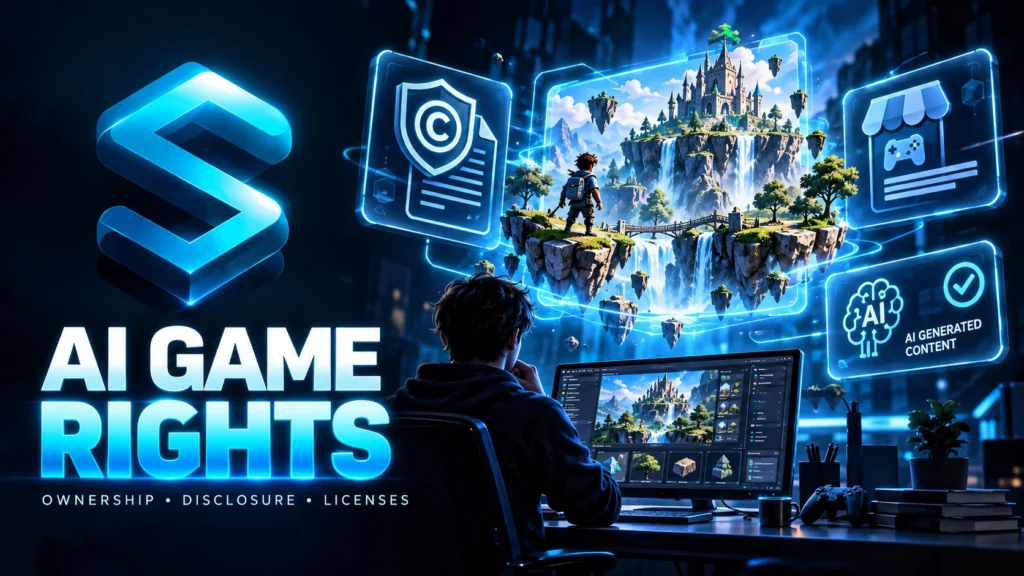
This section gives general information, not legal advice. Laws change, and they differ by country. Ask a lawyer before you sell a game.
Copyright. The U.S. Copyright Office says material made purely by AI isn’t protected by copyright, and that prompts alone don’t give you enough control to count as authorship. So if the AI made your art, music or code and you only typed prompts, you may not own protectable rights in those pieces. What you may protect is the human part: your design choices, your edits and how you put it all together. Keep your notes and versions as proof of your own work.
Steam. Valve rewrote its AI disclosure rules in January 2026. You have to disclose AI used to generate content for the game, including on your store page and in marketing, and AI content created while people play. Helpers like code assistants don’t need a disclosure. You’re still responsible for making sure everything you ship is legal.
Google Play and Apple. Google Play requires a visible label on AI generated content shown to users, and its rules became enforceable on April 15, 2026. Apple expects you to say clearly when content is AI made, and it requires clear consent before you send personal data to a third party AI service.
Tools and assets. Read the terms of every AI tool you use. Some allow commercial use only on paid plans. Use assets with clear licenses, like CC0, when you can.
The safest habit is a simple one. Tell players honestly when AI helped make your game.
What Does It Really Cost?
Lots of AI game tools are free until your game gets interesting, and then a wall appears. Before you sink hours into any tool, check three things. How many AI generations do you get on the free plan? Does the tool add a watermark? Are exports or commercial use locked behind a paid plan?
A free chat tool plus free hosting can take you a long way on a first game. Only pay when you hit a limit you actually feel.
What AI Still Can’t Do
AI makes the slow parts fast. Writing code, wiring up controls and making placeholder art used to take weeks. Now it takes minutes.
But AI still can’t decide if your game is fun, balance the difficulty, keep a big project from falling apart, or replace your own vision. A studio like Aeos spends years on exactly those things.
Here’s a ladder to help you set honest expectations.
- Very well: Snake, Flappy style runners and word games. Small polish and sound issues break first.
- Well, with testing: Platformers, simple shooters and puzzles. Collisions and level fairness break first.
- Possible with a coding agent: Survival games, story games like our tribute, and tower defense. Quest tracking and balance break first.
- Hard: Big RPGs, studio quality soulslikes and multiplayer. Almost everything breaks, and the AI loses track of the project.
Start at the top and climb one rung at a time.
Frequently Asked Questions
Is Unleash the Avatar made with AI?
No. Aeos Games says it doesn’t use generative AI for assets, writing or voice. The team builds it in Unreal Engine 5 with scanned real world locations and motion capture.
Who made Unleash the Avatar?
Aeos Games, a studio in Bengaluru. Varun Mayya produces it, and his brother Rohan Mayya is the CEO and co founder.
What is the Unleash the Avatar release date?
Reports pointed to a 2026 PC release on Steam, but the studio hadn’t locked a firm date in the sources we checked. Check the official Steam page for the latest.
Can I play Unleash the Avatar online for free?
The real game is a paid PC game still in development, so you can’t play it online yet. You can play our free, unofficial fan tribute, Dashavatar: Blocks of Vishwapur, at play.socialseo.in.
Is the fan tribute official?
No. It’s a fan made tribute, not affiliated with Aeos Games or Varun Mayya.
Can you really make a game with AI?
Yes. You can describe a small game in plain English and get something playable in minutes. You still have to test it, fix problems and make the design choices yourself.
Do I need to know how to code?
No. The AI writes the code. Knowing a little code helps you read it and fix small things, but you don’t need it to start.
How long does it take to make a game with AI?
A small first game can take an afternoon. A game with art, sound, menus and a story takes longer. Bigger games take weeks, because design and testing still need your time.
What is the best AI to make a game?
It depends on your goal. Chat tools suit a first small game. Browser tools suit fast sharing. Game engines and coding agents suit bigger projects and exports.
Is making a game with AI free?
It can be. Many tools have free plans. Just watch for limits on generations, watermarks and exports.
Can I publish an AI game on Steam?
Often yes. You must complete Steam’s AI disclosure for content that ships with your game or appears during play, and you need the right to use everything you ship.
Will the game be mine?
Partly. You own your design choices and edits. Art, music or code made purely by AI may not have copyright protection, and tool terms vary.
Why does the AI keep breaking my game?
Usually you asked for too much at once, or the chat grew so long that the AI lost track of your code. Add one change at a time, keep save points and start a fresh chat when the replies get worse.
Your Turn
Let us finish this. Reduce your idea to a core loop. Ask the AI for a plan. Build one change at a time then play after each change. Save your versions. Fix bugs by using a prompt. Playtest with someone who has never seen your game.. Be honest, about the AI when you publish.
Then, when it launches, go play the real thing. Unleash the Avatar is a handcrafted game from a small Indian studio, and it deserves your wishlist. Our tribute is a fun experiment in what prompts can do. It doesn’t replace years of craft.
Try the free fan tribute at play.socialseo.in, then build your own game this weekend. Tell us in the comments what you made. We’d love to play it.
Sources: Outlook Respawn, Aeos Games interview | Digit, Unleash the Avatar hands on | Promise Legal, AI game assets and platform rules
About the Author
Written by the SocialSEO Team
We’re the content and growth team at SocialSEO, a social media marketing and personal branding agency based in Noida, Delhi NCR. We help Indian founders and brands grow their reach, and we spend our days testing what actually works with content, AI tools and online visibility.
We wrote this guide because so many people want to make a game with AI, then hit the same walls: unclear prompts, broken code and legal questions nobody explains. We also built our fan tribute to test how far prompts can really go, and to show the honest limits.
SocialSEO is not affiliated with Aeos Games or Varun Mayya. We check our facts, link our sources and fix mistakes when you tell us. You can learn more about how we work at socialseo.in.
